

How it works

One app for the whole trip.

Four friends, one birthday trip to Bangkok, organised with Gora Pro. Follow the crew from the first group chat to the last photo, and see what gora does at every step.

  • Gora Free: chat, shared photos and safety, for trips of up to 3 people.
  • Everything else in this story is Gora Pro. When the organiser has Pro, everyone in that trip gets it on that trip, and friends join free.
A coastal road winding along steep green cliffs above a turquoise sea

01Before

Plan it together, before anyone packs.

Ana starts the trip and shares a join code. By the weekend the crew has one plan, every booking, a vote on the birthday dinner and a packing list nobody forgets.

Pro Itinerary

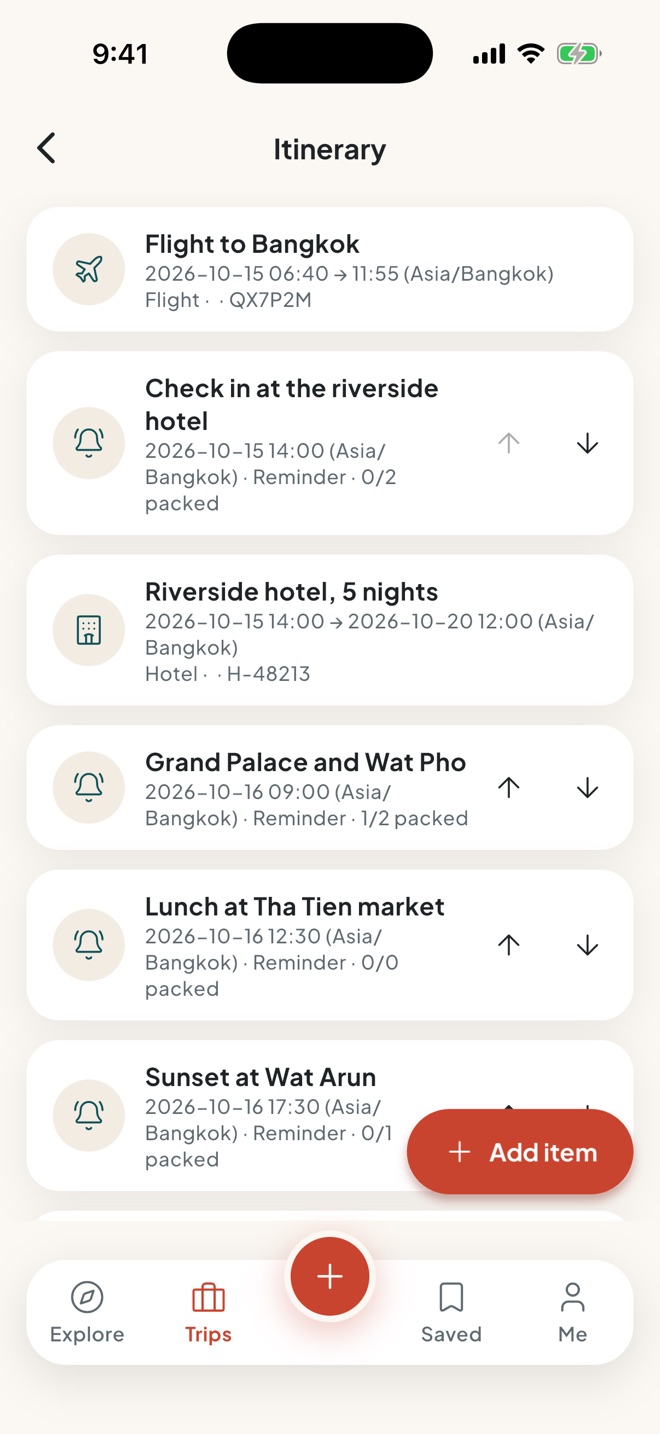
One plan, on Bangkok time.

  • A shared day-by-day itinerary

    Every time is set in the destination's time zone, so 9:00 at the Grand Palace means 9:00 in Bangkok, wherever you planned it from.

  • Reminders and alarms that work offline

    They ring without signal or roaming, with a checklist for each plan. When the plan changes, everyone's phone hears about it.

  • Travel time between plans

    See how long it takes to get to the next stop, with a "Doesn't fit" warning when the gap is too short. Send one plan or the whole trip to your calendar.

The itinerary of the Bangkok trip: the flight, the hotel and each plan with its time in the Asia/Bangkok time zone, its reminder and its checklist progress

Pro Bookings

Every booking, one place.

  • Flights, stays, tours, cars and trains

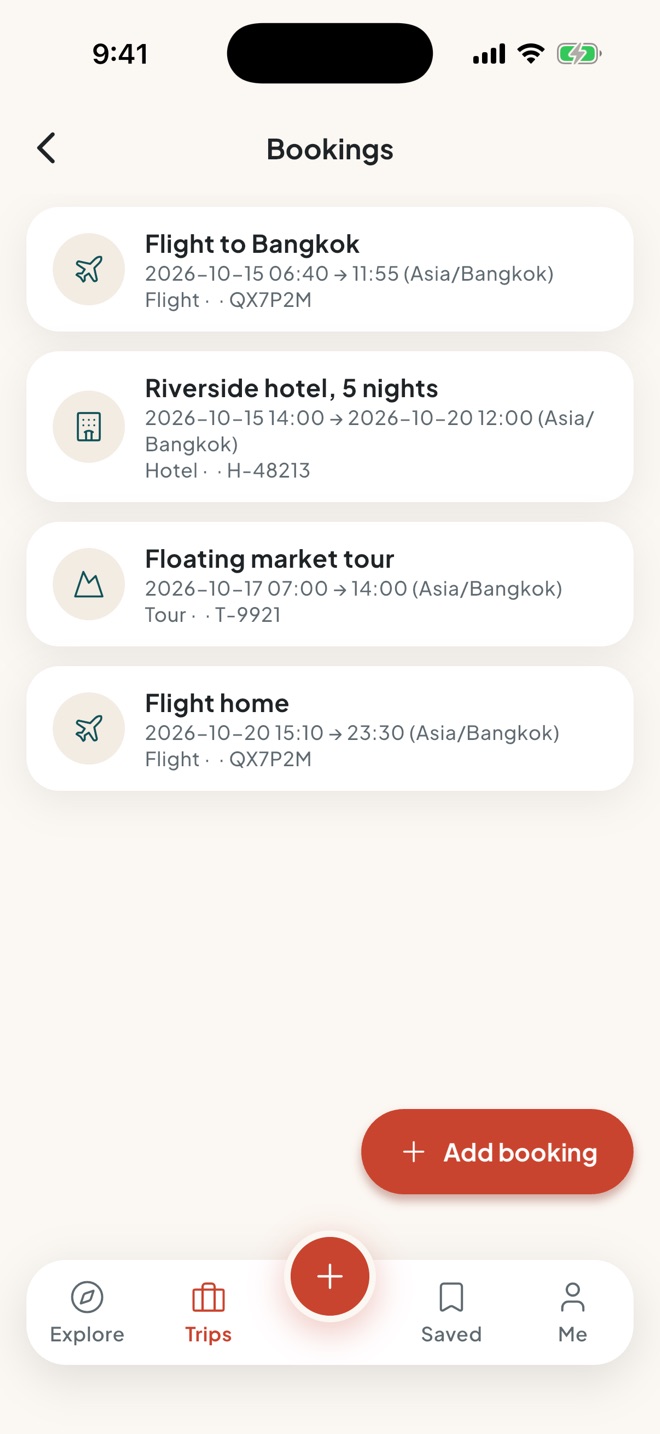
    The crew's bookings live in the trip, with reference numbers ready at the desk.

  • Check-in and "leave for the airport" reminders

    Added for every flight, so nobody misses the online check-in or the taxi.

  • In the plan and on the map

    Each booking shows in the day plan at the right time and as a pin on the crew map.

The bookings list: two flights, a five-night riverside hotel and a floating market tour, each with its date and reference

Pro Polls, packing and travel tools

Decide together, without a hundred messages.

  • Polls, ideas and packing lists

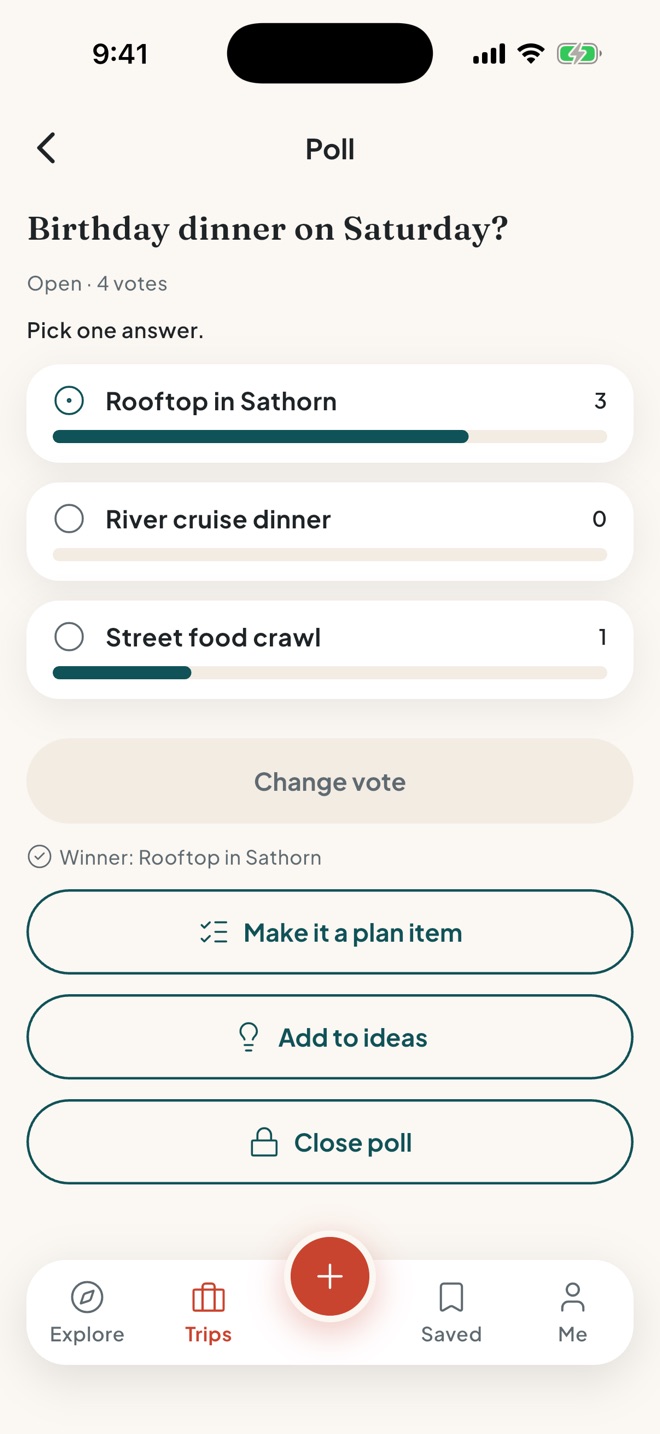
    Vote on the big questions and add the winner to the plan. Like ideas on a shared board. Pack from shared and private lists, with templates.

  • Ten days of weather

    The forecast for the destination, with highs, lows and the chance of rain on each day of the plan.

  • Know before you land

    Plugs, voltage, the side of the road, tipping and key phrases, plus a currency converter. All of it works offline.

A crew poll on the birthday dinner on Saturday: Rooftop in Sathorn leads with 3 of 4 votes
Rows of glowing yellow lanterns above a busy night market street

02During

On the ground, in sync.

Day two, the Grand Palace at nine. Josh is at the gate, Leo has wandered off toward the ferry, and the ferry crew speaks only Thai. Nobody panics.

Never lose the crew.

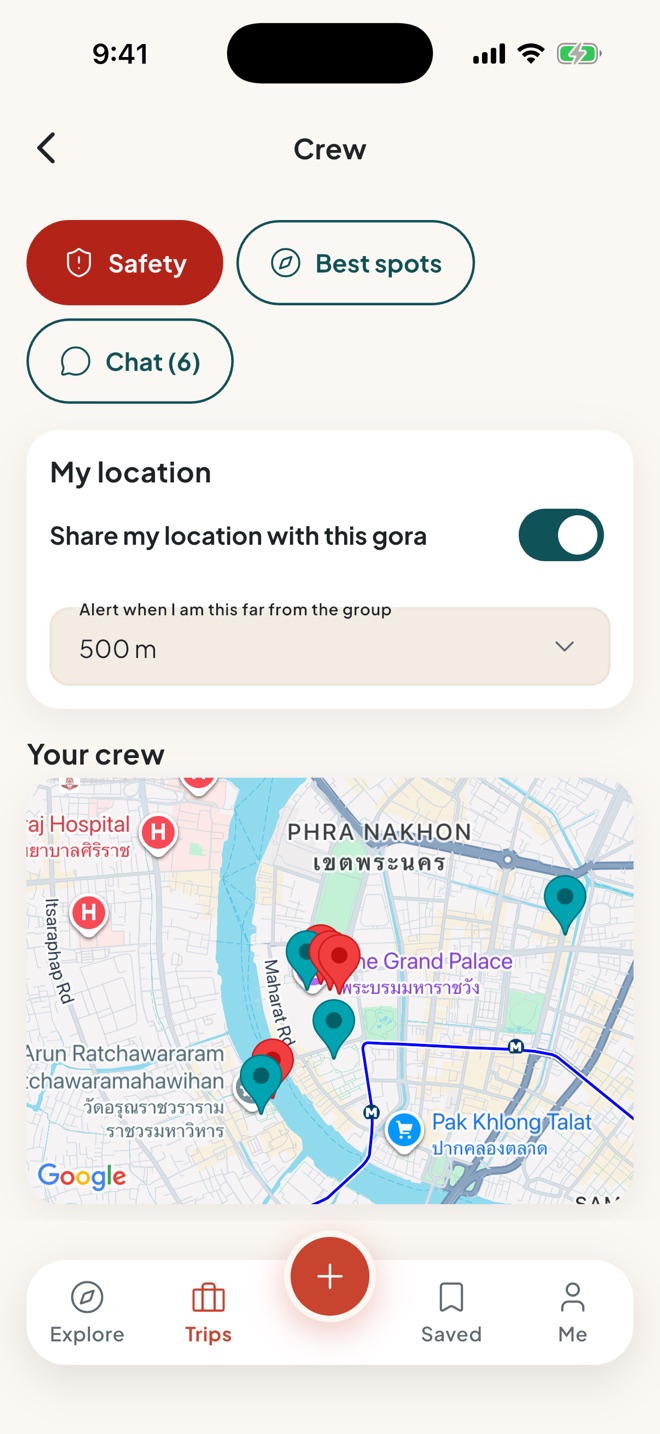
  • A live crew map while the trip is on Pro

    See where everyone is, how far away they are and when they were last seen. Sharing is your choice, only during the trip, and the locations are deleted afterwards.

  • A drift alert Pro

    A heads-up when you wander too far from the group. Ping a friend to regroup.

  • Chat beside the plan Free

    "Lobby in five?" goes to the crew chat, right next to the plan it is about.

The crew screen: location sharing on, a 500 m drift alert and a map of the crew's positions near the Grand Palace

Pro The moment that matters

Talk to anyone, in their language.

  • Hold to speak, hear it aloud

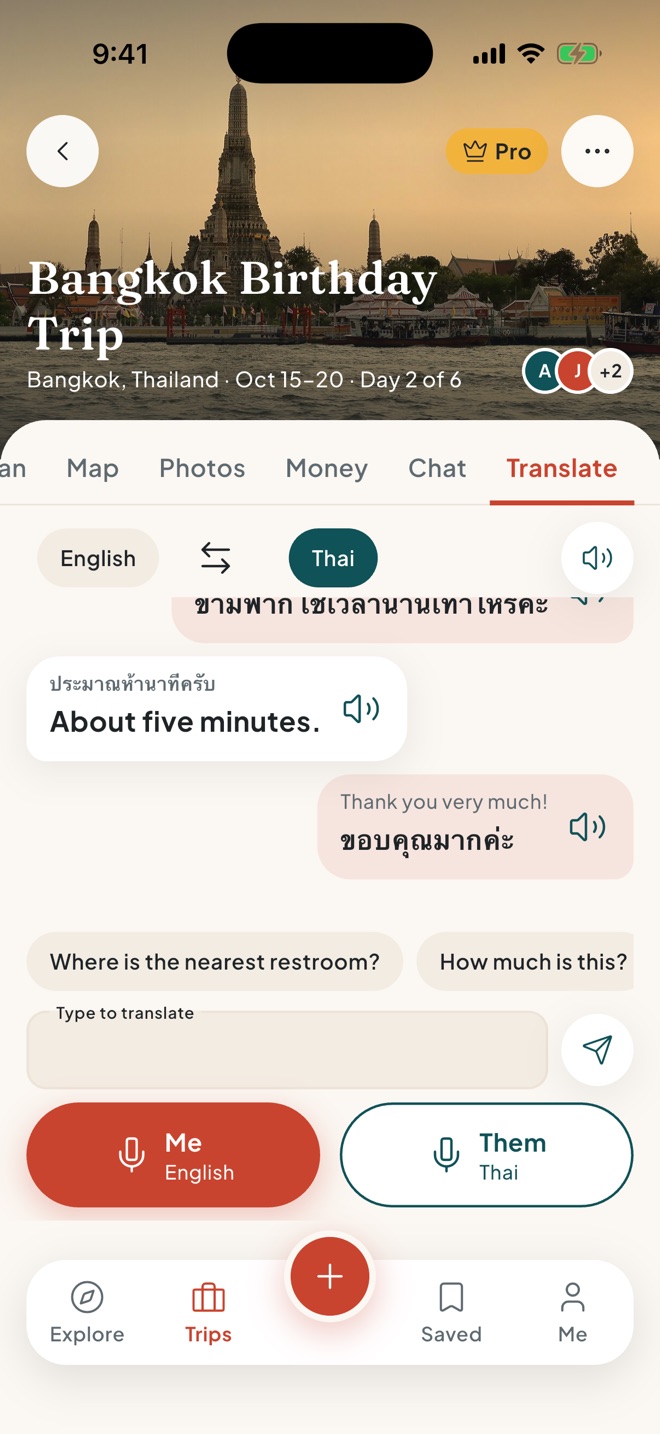
    Hold your side, say "Is this the boat to Wat Arun?", and gora says it in Thai. Hold their side for the answer.

  • Show it big

    Turn any line into full-screen text the other person can read. Quick phrases cover the basics, from the bill to the nearest hospital.

  • Translate the crew chat

    Long-press any message to read it in your language.

  • Online and offline

    Download a language for free and it works offline, on your phone. When it isn't downloaded, tap Translate online; online translation is done by Anthropic's Claude. The conversation stays on your phone.

The Translate tab of the Bangkok trip: an English and Thai conversation about the ferry, quick phrases, and Me and Them buttons to hold and speak

Pro Best spots

Find the good spots.

  • Best spots nearby

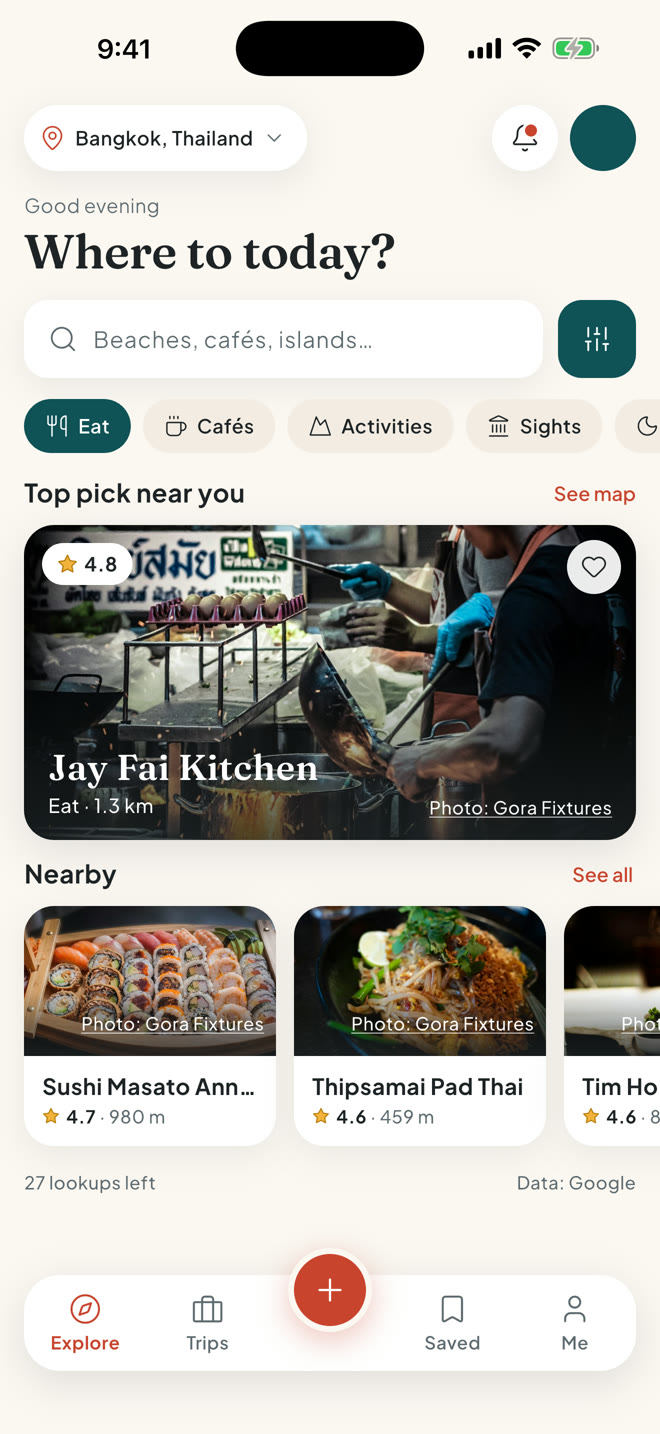
    Cafés, food, sights and nightlife around you, then add a place to the plan in one tap.

  • Saved places

    Keep a list of the places you want to try, ready for the next free afternoon.

  • Crew reviews

    Rate the spots you loved with stars and tags. Only your crew sees them. Public reviews are coming later.

The explore screen with place categories, a top pick and nearby spots
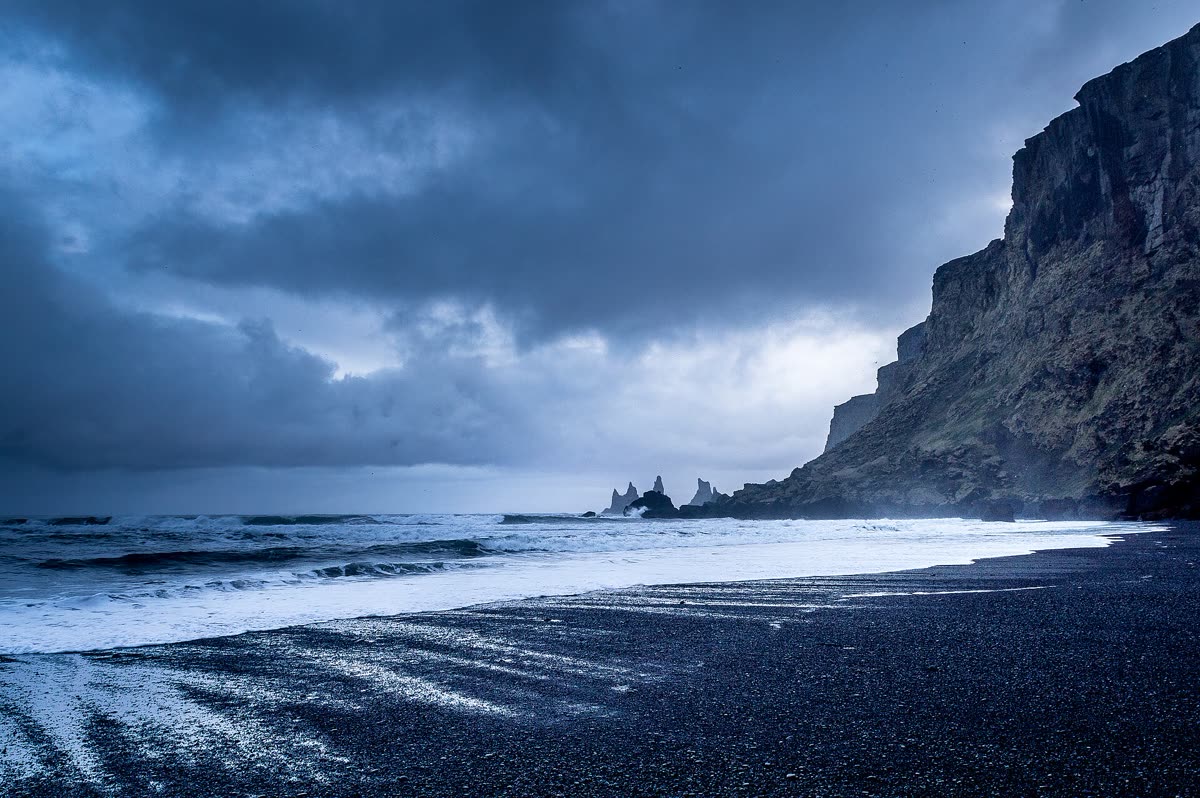
Storm clouds rolling over a black sand beach and dark cliffs

03Safety

Look after each other.

Most trips never need it. When one does, the right number, the crew and your medical details are already on your phone.

Help, one tap away.

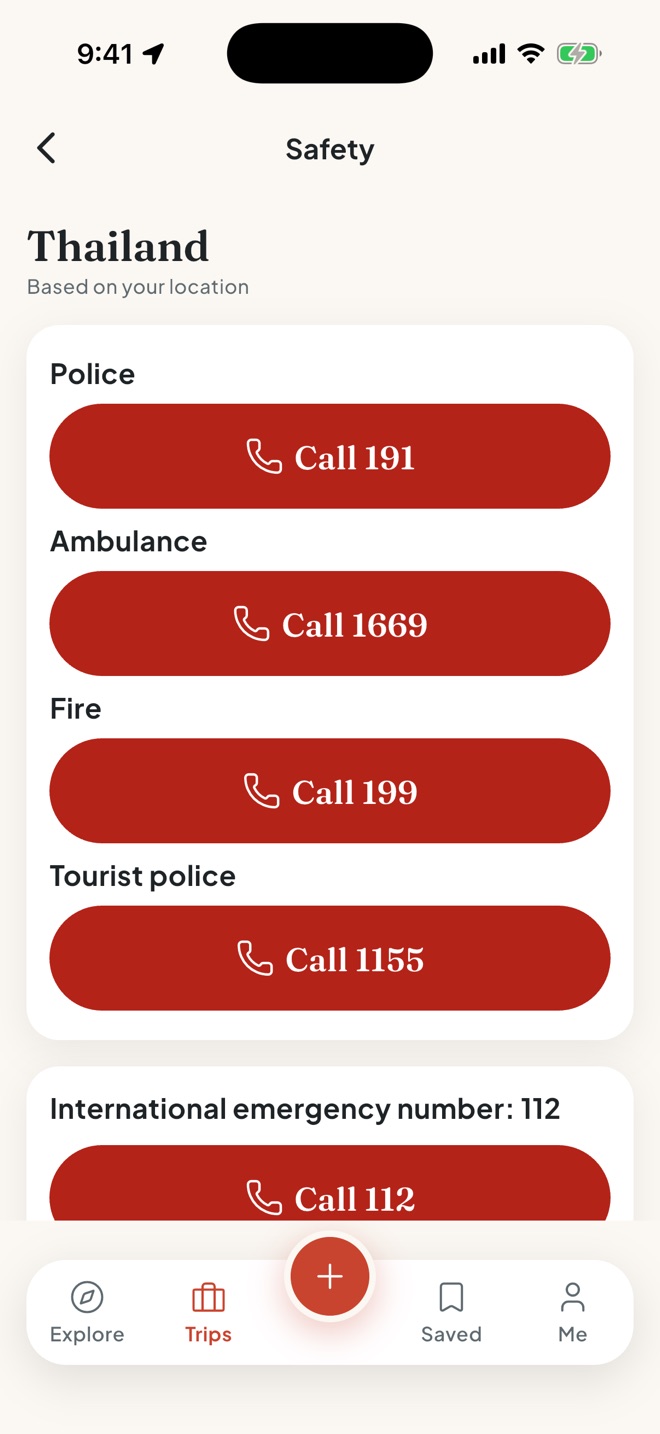
  • Emergency numbers, even offline Free

    Police, ambulance and fire for 20 countries, picked from where you are, with one-tap calling.

  • SOS to your crew Free

    Hold the SOS button and, after a short countdown you can cancel, every friend on the trip gets an urgent alert with where you are. SOS alerts your crew only. It is not an emergency service. Call the local emergency number if you are in danger.

  • The nearest hospital and police Free

    Found from where you are and listed nearest first.

The safety screen for Thailand, based on your location, with one-tap call buttons for police, ambulance, fire and tourist police

Your papers, on your phone.

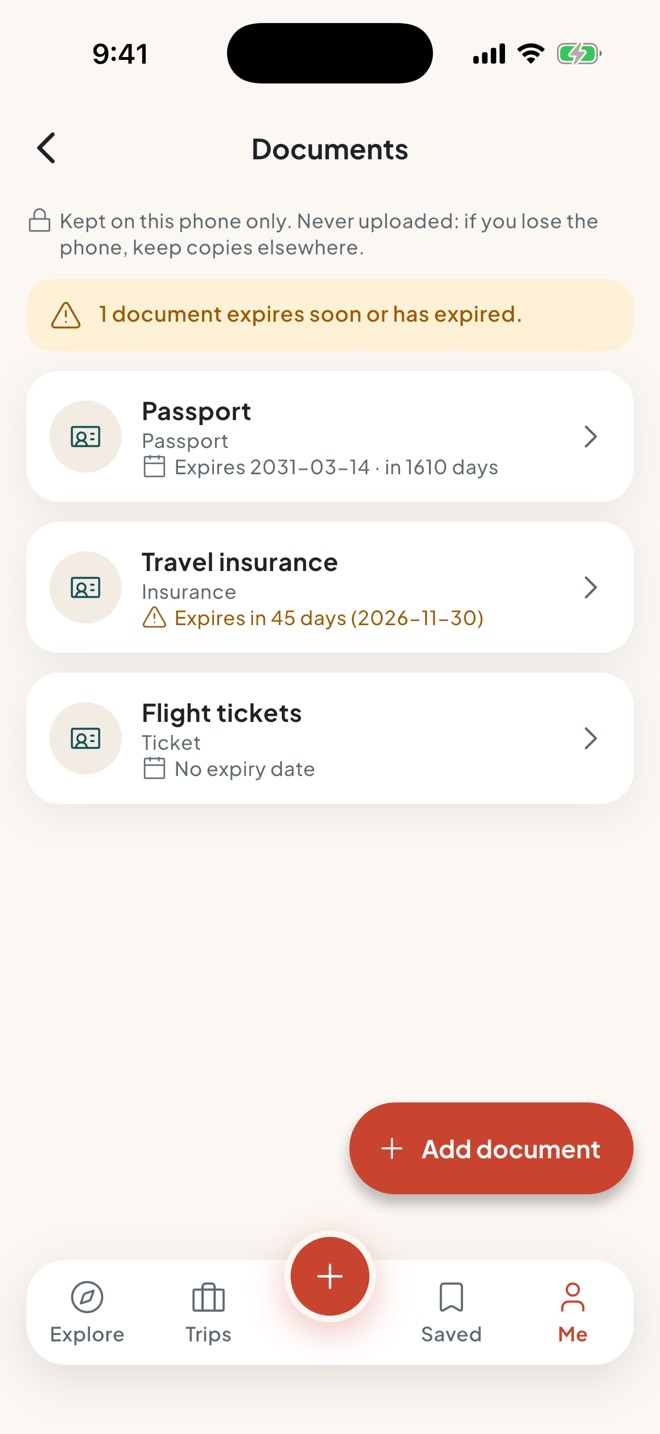
  • Travel documents Pro

    Passport, visa, insurance and tickets, ready without signal. Scan a passport and the expiry date fills itself in, with a warning before anything runs out.

  • A medical card Free

    Blood type, allergies, medications and emergency contacts with call buttons, for whoever is helping you.

  • Never uploaded

    Documents and the medical card are stored on your phone and in your phone's backup, if you use one. They are never uploaded to gora or sent to your crew.

The travel documents screen: a passport, travel insurance with an expiry warning, and flight tickets, kept on this phone
Two coffee cups on a sunny sidewalk café table

04Money

Money, sorted before the bill arrives.

Ana paid the hotel, Josh the tour, Priya the pad thai. Log it as you go and gora keeps the tab in your home currency.

Pro Expense split

Split it any way, in any currency.

  • Four ways to split

    Equally, by exact amounts, by percentage or by shares, with more than one payer when you need it.

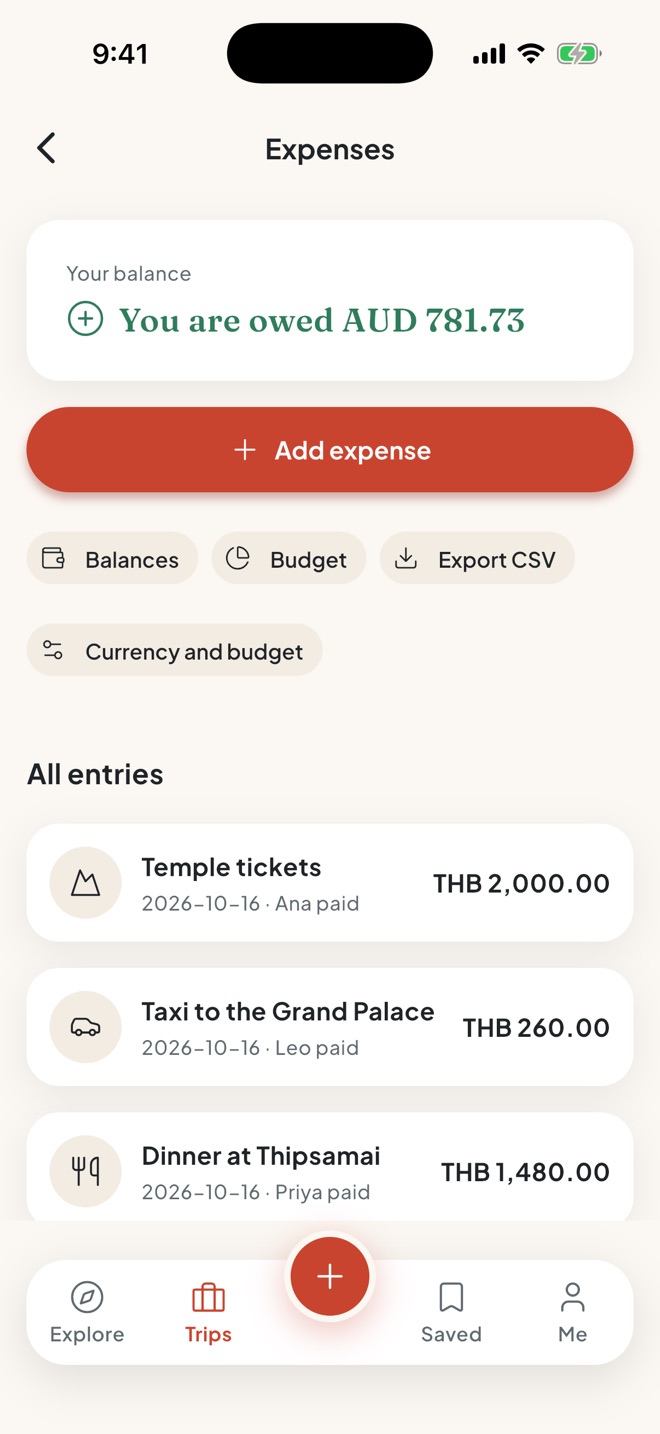
  • Pay in baht, see it in dollars

    Each cost is converted at that day's rate and the rate is kept, so totals never shift later.

  • Scan the receipt

    Snap it and the total and date fill the expense, with the photo attached.

The expenses screen: your balance in Australian dollars and the crew's costs paid in Thai baht

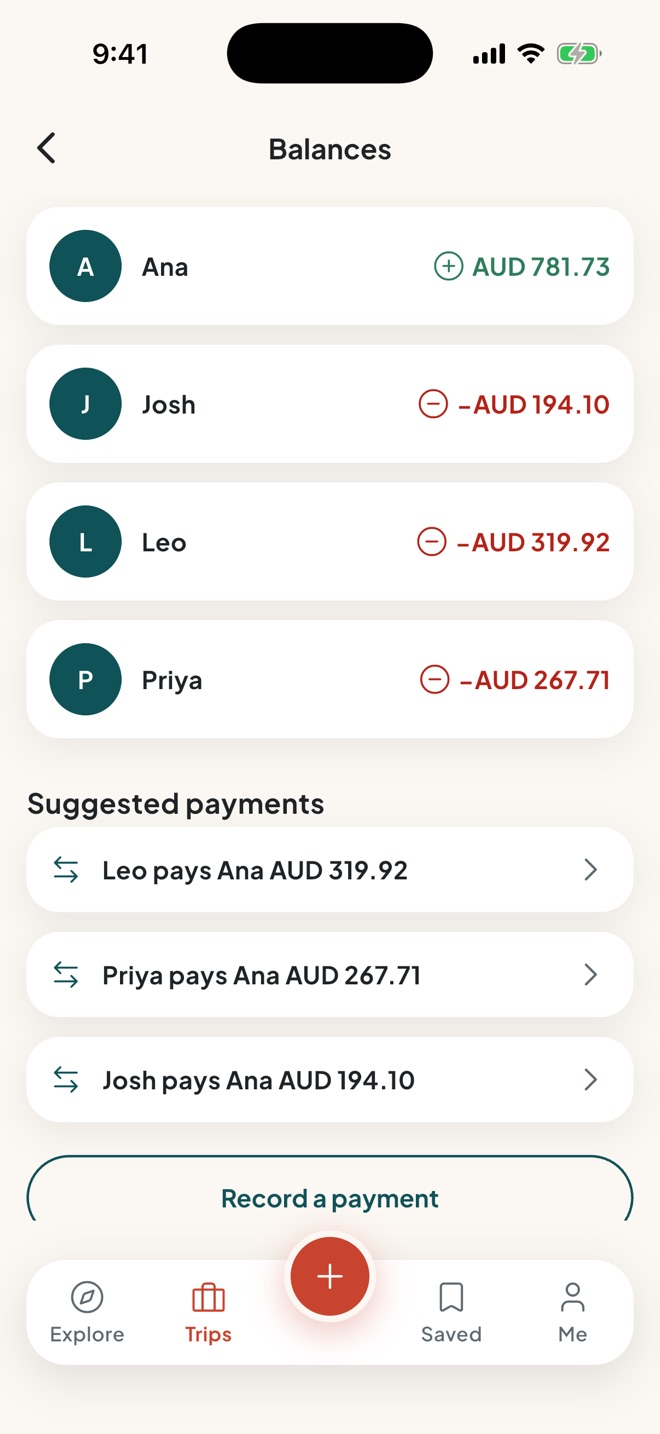
Know who owes who.

  • Balances and settle up

    See each person's balance and record payments as you square up, even on the last night.

  • A trip budget

    Set a budget per person and watch the spending as you go.

  • Works offline, exports to a spreadsheet

    Add costs without signal, and download the whole list as a CSV file.

The balances screen: what each of the four friends is owed or owes in Australian dollars, with suggested payments
Two people walking on the beach under a pastel sunset

05After

Relive it together.

Everyone's photos land in one album. A few taps later the crew has a recap set to music, ready for the group chat.

Free Shared album

Every photo, from every phone.

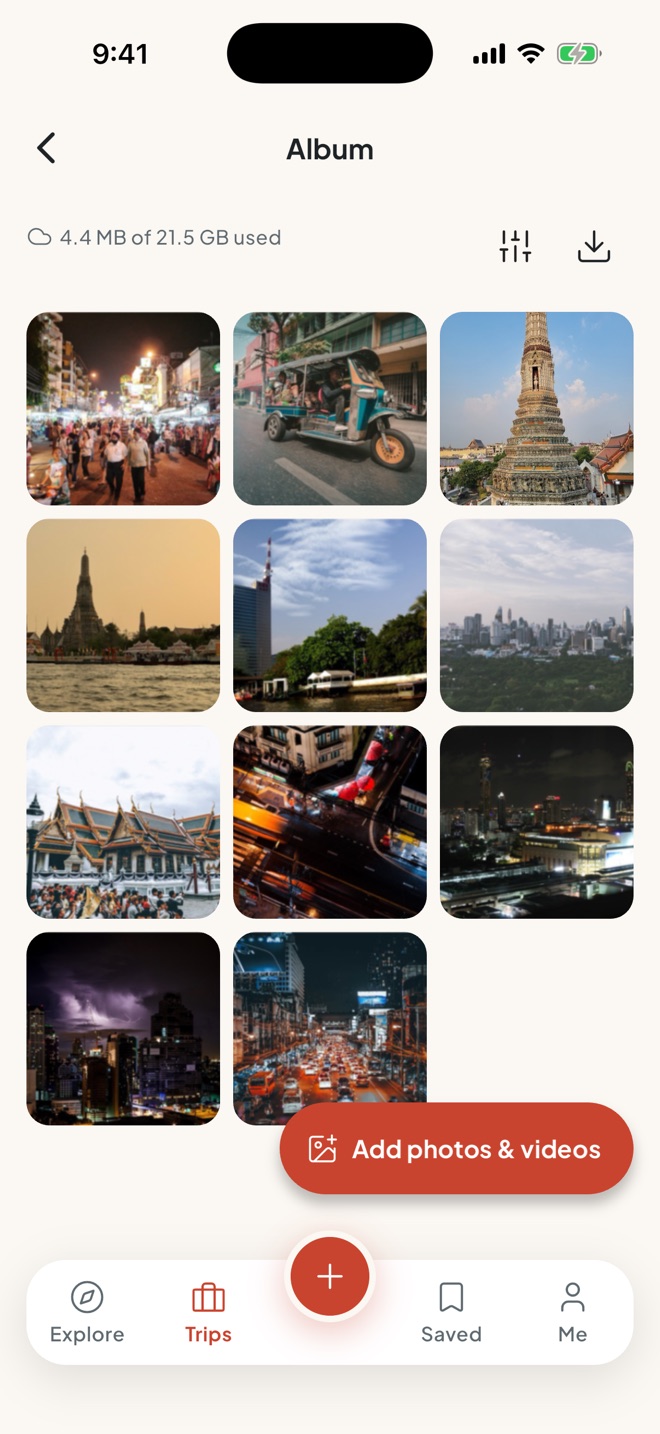
  • One album for the crew

    Photos and videos from everyone, in one place. No more "send me that one".

  • Full quality Pro

    4K photos and videos up to 3 minutes, kept for a year. On Free: 1 GB per trip, videos up to 30 seconds, kept 14 days after the trip. Uploads carry on after a lost signal.

  • Save it all

    Save one photo or the whole album to your phone.

The shared album of the Bangkok trip: a grid of photos of temples, the river, city lights and a tuk-tuk

Pro Recap studio

Your trip, as a film.

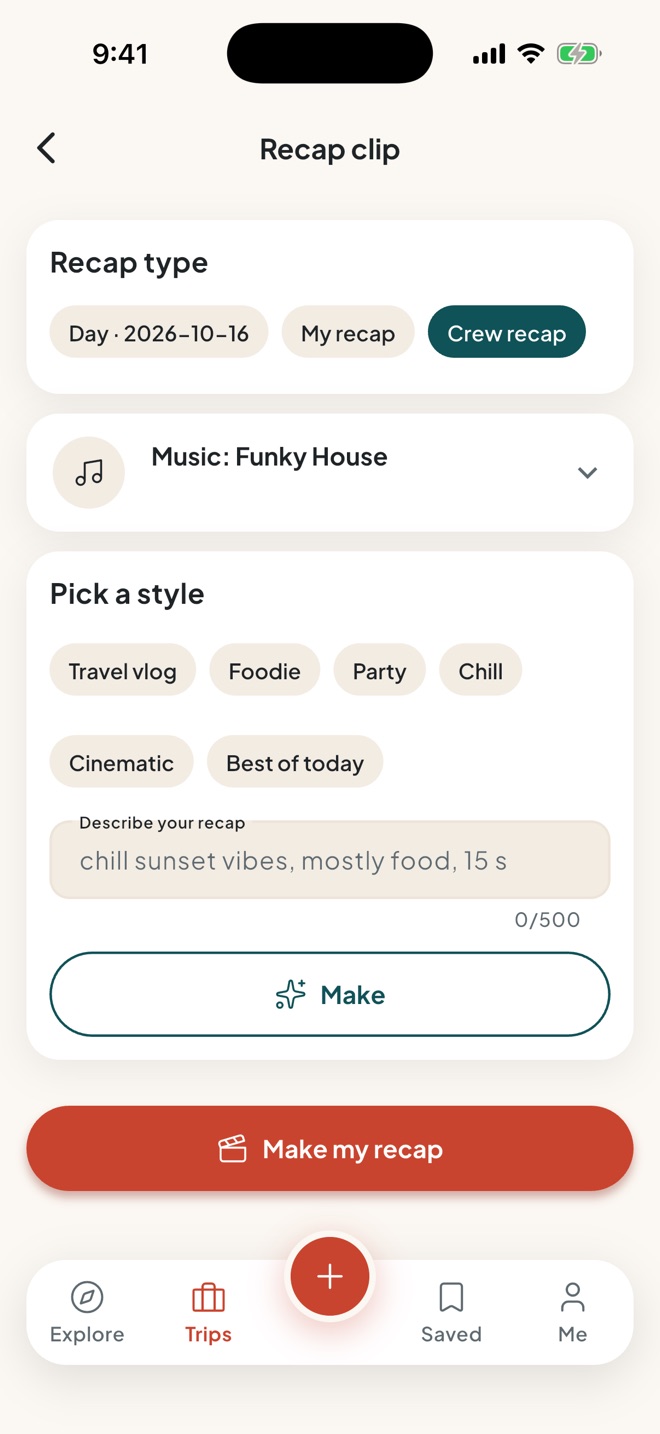
  • A recap of the day, the trip, yours or the crew's

    gora picks the best shots, skips the blurry ones and builds the clip. Choose the length, shape and look.

  • Describe it

    Type the recap you want, then fine-tune it: "make it slower", "end on the sunset". Your phone plans it when it can; otherwise your request is planned by Anthropic's Claude.

  • Music on the beat

    Pick a track by mood, or let gora pick one for you. Then post the recap to the album or share it.

The recap studio for the Bangkok trip: the recap type, the music, style presets and a box to describe the recap you want

Plans

Everyone travels free.

Chat, share photos and stay safe on Free. When the organiser has Pro, that trip is Pro for everyone in it.

See pricing

Gora Free

For small trips, and for everyone who joins one.

  • Create a trip and invite up to 3 people
  • Chat, ping and notifications
  • Shared photos and videos, kept 14 days after the trip
  • Emergency numbers, SOS, a medical card, and the nearest hospital and police
  • Friends join free

Gora Pro

A$69.99 a year, or A$19.99 a month. A$ in Australia; local prices in the App Store.

Everything in Free, plus:

  • Crews of up to 30
  • Itinerary, reminders, bookings, packing and polls
  • Live crew map and Best spots
  • Expense split, budgets and receipts
  • Weather, essentials, the converter and Translate
  • Travel documents and recap clips
  • 20 GB album, kept 365 days
  • Your own trip cover
  • Crew Passport, Relive and daily trip cards

Round up the crew.

Launching on iPhone first. Android to follow.

Tell me at launch